Microsoft Entra External ID vs B2B Collaboration: Guest Access, Customers, and Partners Explained
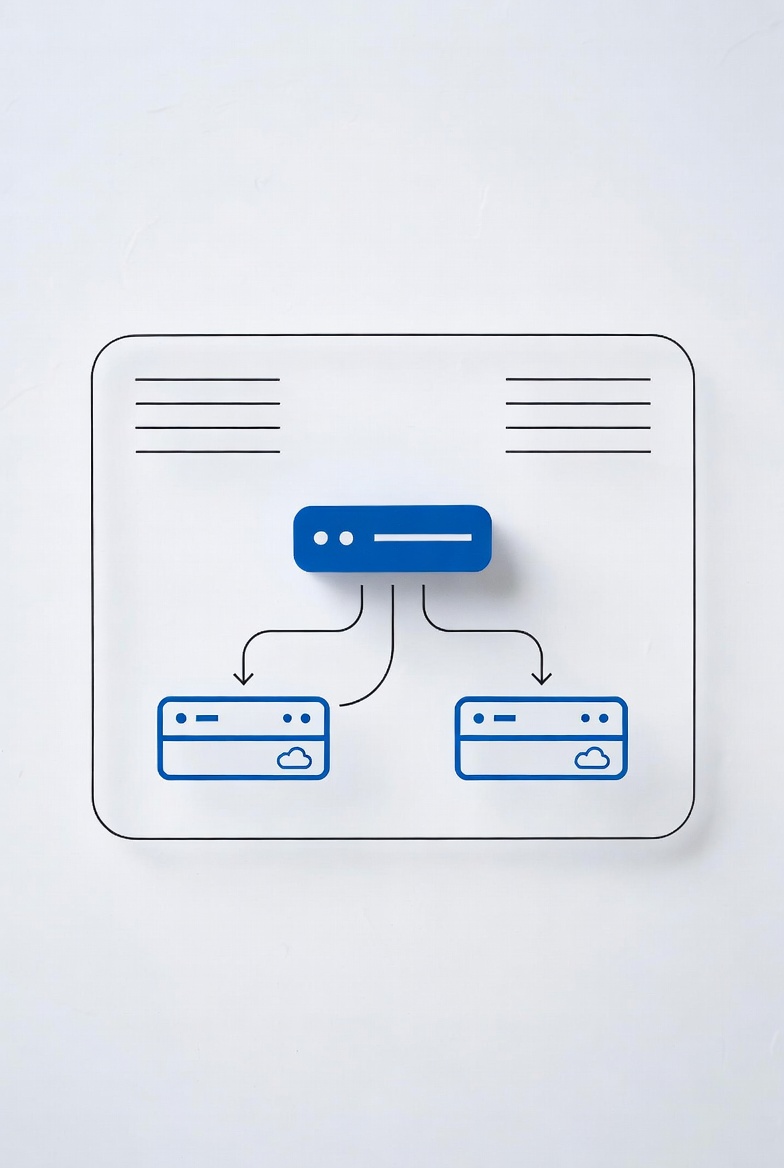
Microsoft Entra External ID has become the unified solution for managing external identities across business-to-business (B2B) collaboration and customer identity access management (CIAM) scenarios. With the evolution from Azure Active Directory B2C to Microsoft Entra External ID, many organizations are re-evaluating their external identity strategies. This comprehensive guide explains the differences between External ID, B2B collaboration, workforce tenants, and external tenants—helping you choose the right approach for your specific use case.
Whether you're enabling secure collaboration with business partners, managing customer access to consumer applications, or migrating from legacy Azure AD B2C, understanding these identity models is crucial for modern cloud security architecture.
What is Microsoft Entra External ID?
Microsoft Entra External ID is Microsoft's unified platform for managing identities outside your organization. It combines powerful solutions for working with people outside your corporate boundary, including business partners, customers, and guests. With External ID capabilities, you can allow external identities to securely access your apps and resources while maintaining complete control over authentication and authorization policies.
External ID supports two primary scenarios, each with distinct tenant configurations:
- B2B Collaboration: Enable your workforce to collaborate with external business partners and guests using a workforce tenant configuration
- External Tenants (CIAM): Publish applications to consumers and business customers using a separate external tenant configuration
Understanding Workforce vs External Tenants
A tenant in Microsoft Entra is a dedicated and trusted instance of Microsoft Entra ID containing an organization's resources, registered apps, and directory of users. The configuration type determines how you use the tenant:
Workforce Tenant Configuration
A workforce tenant is the standard Microsoft Entra tenant containing your employees, internal business apps, and organizational resources. This is the tenant type most organizations are familiar with—it's where your employees authenticate daily.
In a workforce tenant, you can:
- Manage employee accounts and organizational resources
- Enable B2B collaboration with business guests
- Use Microsoft 365 services (Exchange, SharePoint, Teams)
- Apply Conditional Access policies to both employees and guests
- Leverage Entitlement Management for scalable external user access
External Tenant Configuration
An external tenant is exclusively designed for applications published to consumers or business customers. This distinct tenant follows the standard Microsoft Entra model but is configured specifically for customer scenarios. It contains your app registrations and a directory of consumer or customer accounts—completely separate from your employee directory.
External tenants are ideal for:
- Customer-facing applications requiring sign-up/sign-in
- Business-to-consumer (B2C) scenarios
- Custom-branded authentication experiences
- Collecting custom user attributes during registration
- Scaling to millions of customer identities
B2B Collaboration Deep Dive
Microsoft Entra B2B collaboration allows your workforce to collaborate securely with business partners and guests. It's designed for scenarios where external users need access to your corporate resources—not just custom applications, but Microsoft 365 services as well.
How B2B Collaboration Works
When you invite a business partner using B2B collaboration:
- The guest user is created in your workforce tenant (same directory as employees)
- They authenticate using their own credentials from their home organization or identity provider
- A user object is created in your directory, typically with user type "Guest" and #EXT# in the UPN
- You can assign permissions, add them to groups, and manage them like employee accounts
- Guests can access Office 365 apps, SaaS applications, and line-of-business apps
Adding Guests to Your Organization
B2B collaboration offers multiple ways to onboard external partners:
# Invite a guest user via Azure CLI
az ad user create \
  --display-name "External Partner" \
  --user-principal-name "partner#EXT#@yourtenant.onmicrosoft.com" \
  --user-type Guest \
  --mail-nickname "partner"
Alternatively, use self-service sign-up user flows to let guests register themselves, or Microsoft Entra Entitlement Management for automated access workflows with approvals.
Cross-Tenant Access Settings
For B2B collaboration with other Microsoft Entra organizations, use cross-tenant access settings to control which users can authenticate with which resources. These settings manage both inbound and outbound B2B collaboration and allow you to:
- Set default policies for all external organizations
- Create organization-specific settings for partners
- Trust multifactor authentication (MFA) and device claims from external users' home organizations
- Scope access to specific users, groups, and applications
# Configure cross-tenant access policy via Microsoft Graph API
POST https://graph.microsoft.com/v1.0/policies/crossTenantAccessPolicy/partners
Content-type: application/json

{
  "tenantId": "cd3ed3de-93ae-8d09-abc6-5c52d0169643",
  "b2bCollaborationInbound": {
    "usersAndGroups": {
      "accessType": "allowed",
      "targets": [
        {
          "target": "AllUsers",
          "targetType": "user"
        }
      ]
    }
  }
}
External Collaboration Settings
While cross-tenant access settings control authentication with Microsoft Entra organizations, external collaboration settings control who in your organization can invite external users. You can:
- Allow or block invitations by user role
- Allow or block specific email domains
- Restrict guest user access to your directory
- Control whether guests can invite other guests
External Tenants for Customer Identity (CIAM)
Microsoft Entra External ID in external tenants provides a complete customer identity and access management (CIAM) solution. When publishing applications to consumers and business customers, you create a separate external tenant to manage customer accounts and application registrations.
Key Features of External Tenants
1. Custom-Branded Sign-In Experiences
Unlike workforce tenants that display Microsoft branding by default, external tenants allow complete customization:
- Custom background images, colors, and company logos
- Localized branding for different languages
- Custom text for sign-in and sign-up pages
- Per-application branding configurations
2. Flexible Sign-In Methods
External tenants support various authentication methods for customers:
- Email and password: Traditional username/password registration
- Email one-time passcode: Passwordless authentication via email
- SMS-based authentication: Second-factor or primary authentication via SMS
- Social identity providers: Google, Facebook, Apple, and custom OIDC providers
- Microsoft Entra ID federation: Allow business customers to sign in with their work accounts
3. Self-Service Sign-Up User Flows
Create customized registration experiences for your customers:
# Create a sign-up and sign-in user flow via Microsoft Graph API
POST https://graph.microsoft.com/beta/identity/authenticationEventsFlows
Content-type: application/json

{
  "displayName": "Customer Sign-up and Sign-in",
  "description": "User flow for customer registration",
  "events": ["Microsoft.OnAuthenticationMethodLoadStart"],
  "flowType": "signUpOrSignIn",
  "tokenIssuance": {
    "tokenIssuanceUri": "https://your-app.com/token"
  }
}
4. Custom Attributes and Extensions
Collect business-specific information during sign-up:
- Select from built-in user attributes (name, location, etc.)
- Create custom attributes for your business needs
- Use custom authentication extensions to integrate with external systems
- Add claims from external systems to authentication tokens
5. User Activity Analytics
The Application user activity feature provides data analytics on user engagement:
- View, query, and analyze user activity data
- Uncover insights for strategic decisions
- Monitor application usage patterns
- Drive business growth through data-driven decisions
Feature Comparison: Workforce vs External Tenants
Understanding the differences between External ID in workforce tenants (B2B) and external tenants (CIAM) is critical for choosing the right approach:
| Feature | Workforce Tenants (B2B) | External Tenants (CIAM) |
|---|---|---|
| Primary Scenario | Collaborate with business partners and guests | Publish apps to consumers and customers |
| Intended Users | Business partners, suppliers, vendors | Consumers, business customers |
| User Management | Managed in same tenant as employees | Separate tenant for customers only |
| SSO Support | All Microsoft Entra-connected apps, M365, SaaS | Apps registered in external tenant only |
| Branding | Microsoft default with company branding option | Fully customizable, neutral by default |
| Microsoft 365 Access | Supported (Exchange, SharePoint, Teams) | Not supported |
| Entitlement Management | Supported for scalable access workflows | Not applicable |
| Cross-Tenant Access | Supported for Microsoft clouds | Not applicable |
B2B Direct Connect for Teams Shared Channels
B2B direct connect enables two-way trust relationships with other Microsoft Entra organizations specifically for Teams Shared Channels. Unlike B2B collaboration where guests are added to your directory, B2B direct connect users are NOT added as guests—they authenticate in their home organization and receive a token from your resource organization.
Key capabilities include:
- Seamless sign-in to Teams shared channels without switching organizations
- Access to files and apps through the shared channel
- Managed through cross-tenant access settings
- No guest account cleanup required
Conditional Access for External Identities
Microsoft Entra Conditional Access brings signals together to make decisions and enforce security policies. External ID supports Conditional Access for both B2B collaboration and external tenant scenarios.
Conditional Access in Workforce Tenants (B2B)
For B2B collaboration, you can enforce Conditional Access policies for external users identically to employees:
- Require MFA for guest users
- Trust MFA claims from external users' home organizations
- Require compliant or Microsoft Entra hybrid-joined devices
- Apply location-based policies
- Block access based on sign-in risk
Conditional Access in External Tenants (CIAM)
External tenants support Conditional Access for customer scenarios:
- Enforce MFA through email one-time passcode or SMS
- Create policies targeting specific applications
- Apply policies to all users or specific user groups
- Customize authentication experiences per application
# Create a Conditional Access policy for MFA in external tenant
POST https://graph.microsoft.com/v1.0/identity/conditionalAccess/policies
Content-type: application/json

{
  "displayName": "Require MFA for Customer Apps",
  "state": "enabled",
  "conditions": {
    "users": {
      "includeUsers": ["All"]
    },
    "applications": {
      "includeApplications": ["your-app-client-id"]
    }
  },
  "grantControls": {
    "operator": "and",
    "builtInControls": ["mfa"]
  }
}
Migration from Azure AD B2C
If you're an existing Azure AD B2C customer, consider migrating to Microsoft Entra External ID:
- Enhanced platform features: Benefit from Microsoft Entra's security, compliance, and scalability
- Unified management: Manage both workforce and customer identities through Microsoft Entra admin center
- Advanced Conditional Access: Leverage the same policies for both employees and customers
- Microsoft Graph API: Automate CIAM operations with consistent APIs
Use the migration planning guide to transition from Azure AD B2C to External ID.
Best Practices for External Identity Management
For B2B Collaboration
- Use cross-tenant access settings to control B2B collaboration with Microsoft Entra organizations
- Implement least privilege: Only grant guests access to necessary resources
- Regularly review guest access using Access Reviews
- Enable MFA for all external users through Conditional Access
- Use Entitlement Management for automated, approval-based access workflows
- Monitor guest activity through sign-in logs and Azure Monitor
For External Tenants (CIAM)
- Separate tenants: Keep customer identities completely separate from employee directory
- Customize branding: Create professional, on-brand sign-in experiences
- Plan user attributes: Determine what information you need during sign-up
- Enable MFA: Protect customer accounts with multifactor authentication
- Use Microsoft Graph APIs: Automate user lifecycle management
- Analyze user activity: Leverage insights to improve customer experiences
- Consider M2M authentication: For machine-to-machine scenarios, use OAuth 2.0 client credentials flow
Licensing and Billing
External ID uses a monthly active users (MAU) billing model:
- First 50,000 MAUs per month are free for both B2B and CIAM scenarios
- Beyond the free tier, charges apply per MAU
- M2M authentication requires the M2M Premium add-on
- Review the pricing page for current rates
Frequently Asked Questions
When should I use B2B collaboration vs external tenants?
Use B2B collaboration when external users need access to your Microsoft 365 services (Teams, SharePoint) or when collaborating with business partners who have work accounts. Use external tenants when building customer-facing applications that need sign-up/sign-in, custom branding, and scale to thousands/millions of users.
Can B2B guests access my custom applications?
Yes, B2B guests can access custom applications registered in your workforce tenant, along with SaaS applications like Salesforce or Workday. You can assign permissions to guest users just like employees.
Do I need to create separate external tenants for each application?
No, you can register multiple applications in a single external tenant. However, consider creating separate external tenants if you want complete isolation between different customer bases or applications.
What happens to existing Azure AD B2C tenants?
Existing Azure AD B2C tenants continue to function and are supported. However, new features and capabilities are being built exclusively on the Microsoft Entra External ID platform, so planning migration is recommended for long-term viability.
Can I trust MFA from external organizations?
Yes, with cross-tenant access settings in workforce tenants, you can trust MFA and device compliance claims from external users' home organizations. This enables seamless SSO without requiring guests to re-complete MFA in your tenant.
How do I manage guest user lifecycle?
Use Microsoft Entra Entitlement Management to automate guest access workflows with expiration policies. Combine with Access Reviews to regularly validate guest access and remove unnecessary accounts. For external tenants, customers can self-manage their accounts including profile updates and account deletion.
Conclusion
Microsoft Entra External ID provides a unified platform for all your external identity needs. By understanding the differences between B2B collaboration in workforce tenants and CIAM in external tenants, you can architect the right solution for each scenario:
- Choose B2B collaboration when enabling secure collaboration with business partners who need access to Microsoft 365 and your organizational resources
- Choose external tenants when building customer-facing applications requiring custom branding, self-service registration, and scale to millions of users
- Leverage Conditional Access to enforce consistent security policies across both employees and external identities
- Plan your migration from Azure AD B2C to benefit from the latest Microsoft Entra platform features
By following the best practices outlined in this guide and leveraging the powerful features of Microsoft Entra External ID, you can build secure, scalable, and user-friendly external identity experiences for both business partners and customers.