Azure Networking Fundamentals: VNet, Subnets, Peering, DNS for AZ-900
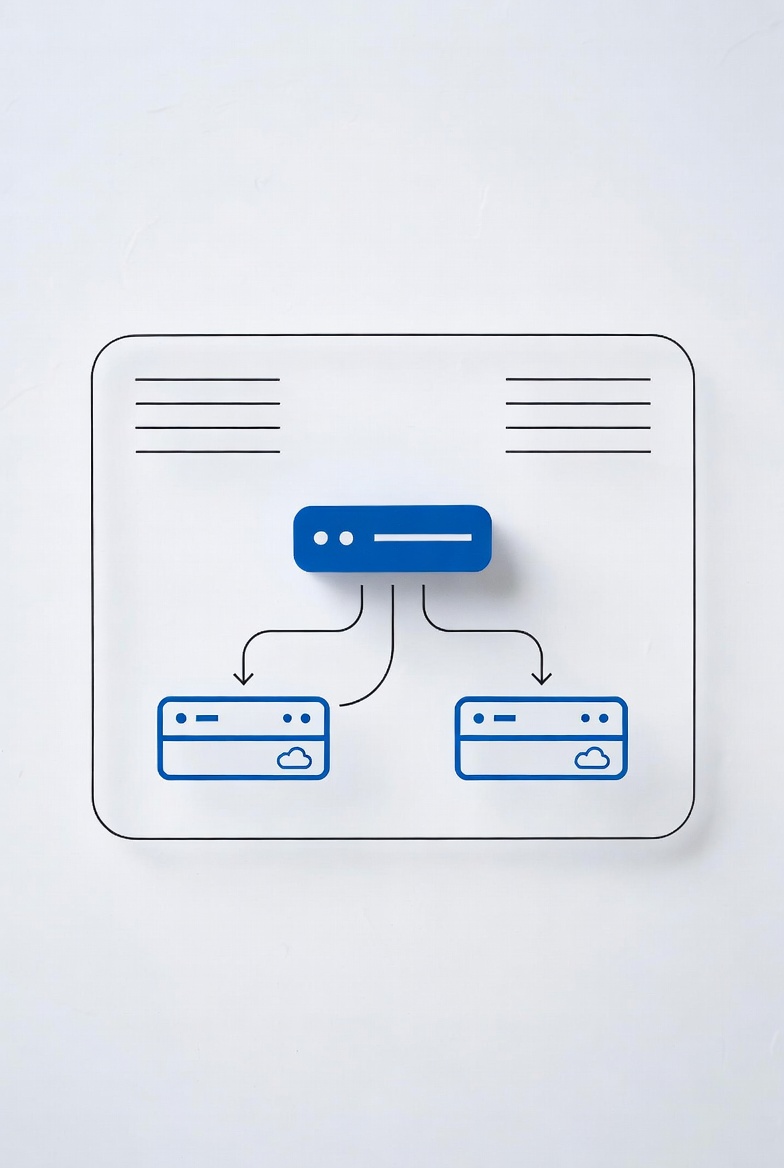
Networking is one of the most heavily tested areas on the AZ-900 exam. Microsoft wants you to understand how Azure resources talk to each other and to the outside world. This guide covers the core networking concepts you need to know: virtual networks, subnets, peering, DNS, and network security. No fluff, just what AZ-900 expects.
What Is an Azure Virtual Network?
An Azure Virtual Network (VNet) is your private network in the cloud. It's a logical isolation boundary that lets Azure resources like VMs, databases, and app services communicate securely. Think of a VNet as your own data center network, but Microsoft handles the physical hardware.
Every VNet exists within a single Azure region and a single subscription. You define its IP address space using CIDR notation, like 10.0.0.0/16. That address space gives you roughly 65,000 usable IP addresses to work with.
Subnets: Dividing Your VNet
Subnets let you partition your VNet into smaller networks. Each subnet gets a portion of the VNet's address space. You use subnets to organize resources and control traffic flow.
For example, you could create a VNet with a 10.0.0.0/16 address space and split it into:
- Web subnet:
10.0.1.0/24— front-end web servers - App subnet:
10.0.2.0/24— application logic tier - Database subnet:
10.0.3.0/24— SQL or NoSQL databases
Azure reserves the first four and the last IP address in each subnet. That means a /24 subnet with 256 addresses gives you 251 usable ones. You need to account for this when sizing your subnets.
# Create a VNet and subnet with Azure CLI
az network vnet create \
  --resource-group myResourceGroup \
  --name myVNet \
  --address-prefixes 10.0.0.0/16

az network subnet create \
  --resource-group myResourceGroup \
  --vnet-name myVNet \
  --name webSubnet \
  --address-prefixes 10.0.1.0/24
Subnet Types You Should Know for AZ-900
The exam asks about two special subnet types:
- AzureBastionSubnet: Must be named exactly
AzureBastionSubnetwith a minimum /26 prefix. Used by Azure Bastion for secure VM access without public IPs. - GatewaySubnet: Must be named exactly
GatewaySubnetwith a minimum /27 prefix. Used by VPN and ExpressRoute gateways.
VNet Peering: Connecting Networks
VNet peering lets you connect two VNets so resources in one can talk to resources in the other using the Microsoft backbone network. No public internet involved, no VPN required.
Key Facts for the Exam
- Global peering: You can peer VNets across Azure regions, not just within the same region. This is called global VNet peering.
- Non-transitive: If VNet A is peered with VNet B, and VNet B is peered with VNet C, traffic does NOT flow from A to C. Peering is a direct one-to-one relationship.
- No downtime: Creating a peering connection does not affect running workloads in either VNet.
- Gateway transit: You can configure a peered VNet to use the VPN gateway of another VNet, but only within the same region (not global peering).
# Peer two VNets
az network vnet peering create \
  --resource-group myResourceGroup \
  --name vnetA-to-vnetB \
  --vnet-name vnetA \
  --remote-vnet vnetB \
  --allow-vnet-access

# Create the reverse peering (both sides required)
az network vnet peering create \
  --resource-group myResourceGroup \
  --name vnetB-to-vnetA \
  --vnet-name vnetB \
  --remote-vnet vnetA \
--allow-vnet-accessDNS Resolution in Azure
Azure provides built-in DNS resolution for resources in the same VNet. When you deploy a VM, Azure automatically registers its private IP in the default DNS. Other resources in the same VNet can reach it by hostname.
DNS Options for AZ-900
- Azure-provided DNS: Free, automatic, works within a single VNet. Resources get an internal DNS suffix and can resolve each other by name.
- Custom DNS servers: You can override the default DNS with your own servers (like on-premises Active Directory). You specify custom DNS server IPs at the VNet level.
- Azure DNS Private Zones: Lets you resolve names across peered VNets using a custom domain like
contoso.internal. Essential when you have multi-tier apps spread across VNets.
For AZ-900, remember that Azure-provided DNS only works within a single VNet. If you need name resolution across peered VNets, you need Azure DNS Private Zones or custom DNS servers.
Network Security Groups
Network Security Groups (NSGs) filter traffic at the network layer. They contain security rules that allow or deny traffic based on source and destination IP, port, and protocol. Every subnet and network interface can have an NSG attached.
How NSG Rules Work
- Rules are evaluated in priority order (100 to 4096). Lower numbers are processed first.
- Each rule has a source, destination, port, protocol, and action (Allow or Deny).
- Azure has default rules that allow VNet-internal traffic and deny internet inbound traffic.
- You cannot remove the default rules, but you can override them with higher-priority custom rules.
NSGs are stateless at the rule level but stateful in practice — Azure allows return traffic automatically when a flow is established.
VPN Gateway and ExpressRoute
These two services connect your on-premises network to Azure. They're a core part of AZ-900's "connectivity" domain.
VPN Gateway
VPN Gateway sends encrypted traffic over the public internet. It supports site-to-site (S2S) connections for branch offices and point-to-site (P2S) connections for individual users. The tunnel uses IPSec/IKE encryption. You can also use VPN Gateway to connect VNets across regions (VNet-to-VNet).
ExpressRoute
ExpressRoute provides a private, dedicated connection between your on-premises network and Azure. Traffic does NOT go over the public internet — it uses a private circuit through a connectivity provider. Benefits include lower latency, higher reliability, and higher bandwidth compared to VPN.
| Feature | VPN Gateway | ExpressRoute |
|---|---|---|
| Network path | Public internet (encrypted) | Private, dedicated circuit |
| Bandwidth | Up to ~1.25 Gbps | Up to 100 Gbps |
| Latency | Variable (internet-dependent) | Consistent, low |
| SLA | 99.95% for active-active | 99.95% or higher |
| Cost | Lower | Higher (dedicated circuit) |
Azure Load Balancer
Azure Load Balancer distributes incoming traffic across multiple VMs to improve availability and reliability. It operates at layer 4 (TCP/UDP) and supports both inbound and outbound traffic.
- Public load balancer: Balances internet traffic to VMs. Provides outbound connections for VMs.
- Internal load balancer: Balances traffic within a VNet. Used for multi-tier applications.
For AZ-900, understand that Load Balancer uses health probes to check if backend VMs are healthy. If a VM fails its probe, traffic stops going to it until it recovers.
Choosing the Right Connectivity Solution
AZ-900 presents scenarios where you must pick the right networking service. Here's how they differ:
- VNet peering: Connect Azure VNets within or across regions. Used for multi-region apps or resource sharing.
- VPN Gateway: Connect on-premises to Azure over the internet. Good for branch offices, hybrid scenarios.
- ExpressRoute: Private connection to Azure. Used when latency, bandwidth, or regulatory requirements matter.
- Azure DNS: Name resolution. Not a connectivity service, but essential for routing.
Common AZ-900 Networking Scenarios
These scenario-based questions appear frequently on the exam. Learn the pattern:
- Scenario 1: "You need to connect two VNets in different regions with low latency." Answer: Global VNet peering.
- Scenario 2: "You need a private connection from your data center to Azure that doesn't use the internet." Answer: ExpressRoute.
- Scenario 3: "You need to filter traffic between subnets in the same VNet." Answer: Network Security Group.
- Scenario 4: "You need to distribute incoming web traffic across multiple VMs." Answer: Azure Load Balancer.
- Scenario 5: "You need secure, encrypted connectivity for remote employees." Answer: Point-to-Site VPN.
What AZ-900 Expects You to Know
The exam objectives for networking fall under "Describe Azure compute and networking services." Here's the checklist:
- The purpose of Azure Virtual Networks and how subnets work
- The difference between VNet peering and VPN Gateway
- When to use ExpressRoute vs VPN Gateway
- How Network Security Groups filter traffic
- The role of Azure Load Balancer and comparison with other services
- How DNS resolution works in Azure (default vs custom)
- Azure DNS and Azure DNS Private Zones
If you understand these concepts and can match them to the scenario questions above, you're in good shape for the networking section of AZ-900.
Frequently Asked Questions
Can I change a VNet's address space after creation?
Yes, you can add or remove address ranges from a VNet after creation, as long as no resources are using the address space you want to remove. This is a common exam scenario — the answer is yes, with the caveat that you can't remove a range that's in use.
What's the difference between service endpoints and private endpoints?
Service endpoints extend your VNet to Azure services like Storage or SQL over the Microsoft backbone. Private endpoints give those services a private IP inside your VNet. For AZ-900, just know both exist and provide secure access to Azure PaaS services.
Does VNet peering support transitive routing?
No. VNet peering is not transitive. If you need traffic to flow from VNet A through VNet B to VNet C, you must either peer A and C directly or use a hub-spoke topology with a network virtual appliance or Azure Route Server.